
Example shot
 Download the appComing soon to the App Store
Every swing, traced.
Stand your iPhone behind you and hit your whole bucket. Contrail finds every swing, cuts it into its own clip and draws the ball’s flight over the video, all on the phone.
Hit the whole bucket. Get one clip per ball.
No holding the phone, no trimming video. Set it up once and leave it running.
-
Step 1 of 5
Stand it behind you.
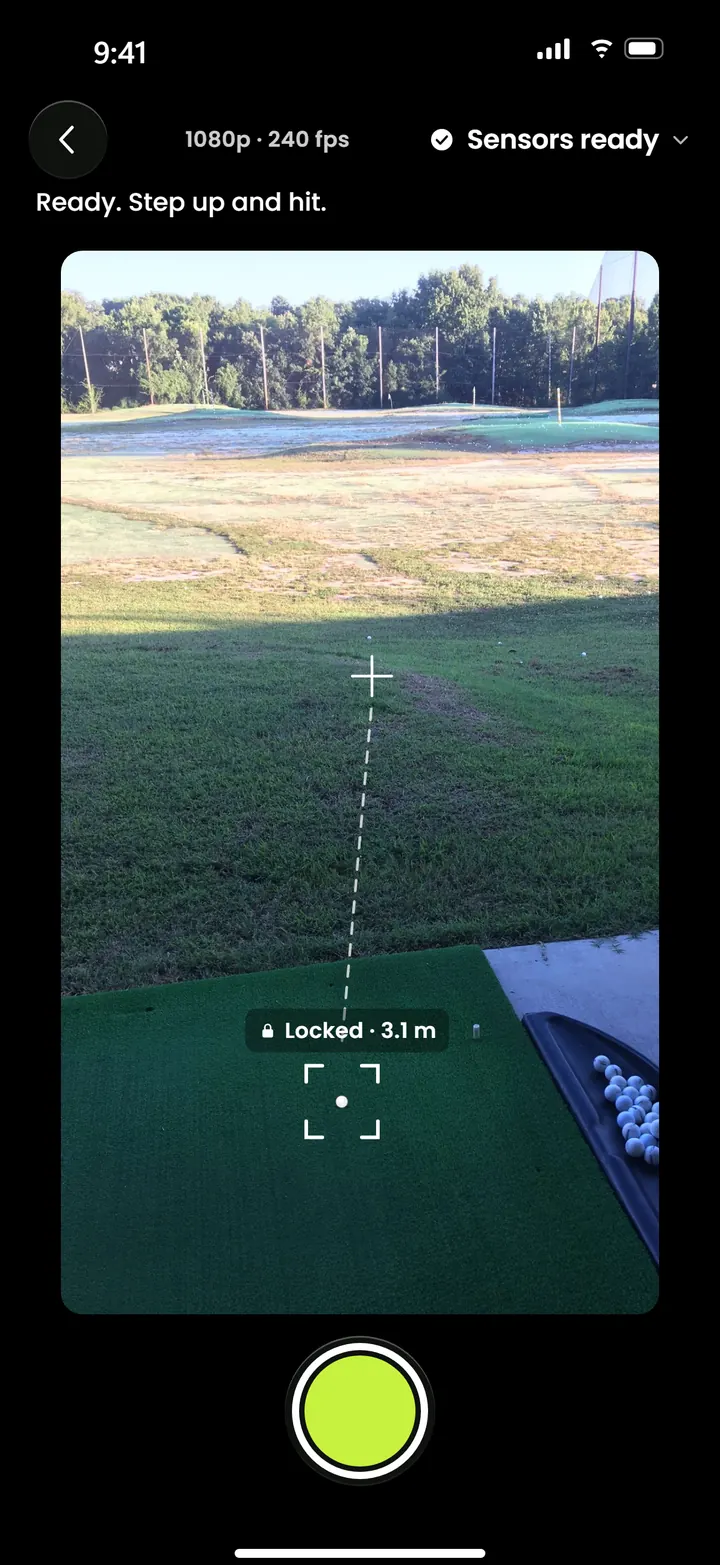
Put your iPhone on a stand a few steps back, pointing down your target line. Contrail shows a level while you set up and finds the ball on your first swing. If a ball is already down, you can tap it to lock focus.
-
Step 2 of 5
Record and keep hitting.
One take for the whole bucket, filmed at 240 frames a second. No tapping between swings.

-
Step 3 of 5
It finds every swing.
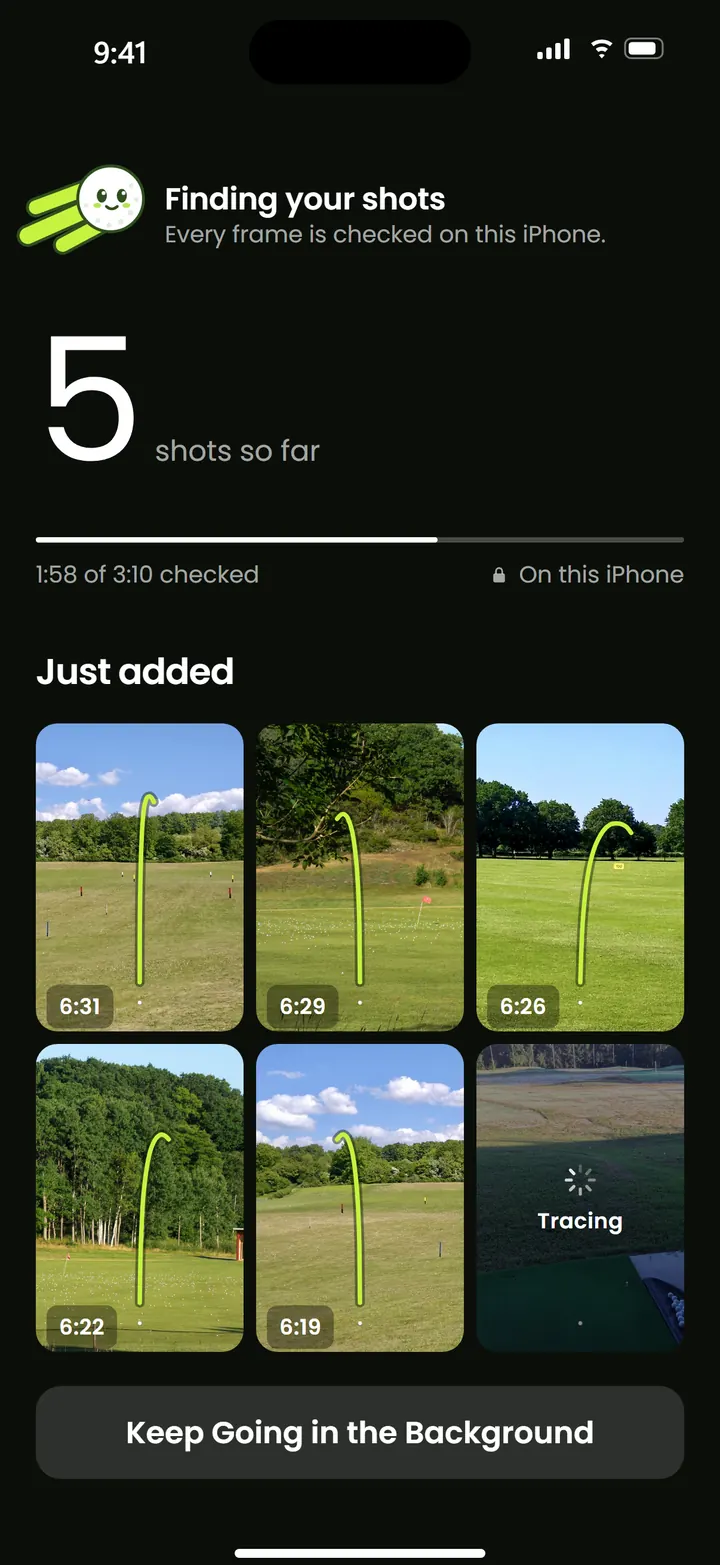
When you stop, Contrail goes through the video on the phone and cuts each swing into its own clip. Keep it open or let it work in the background.
-
Step 4 of 5
Your shots, by day.
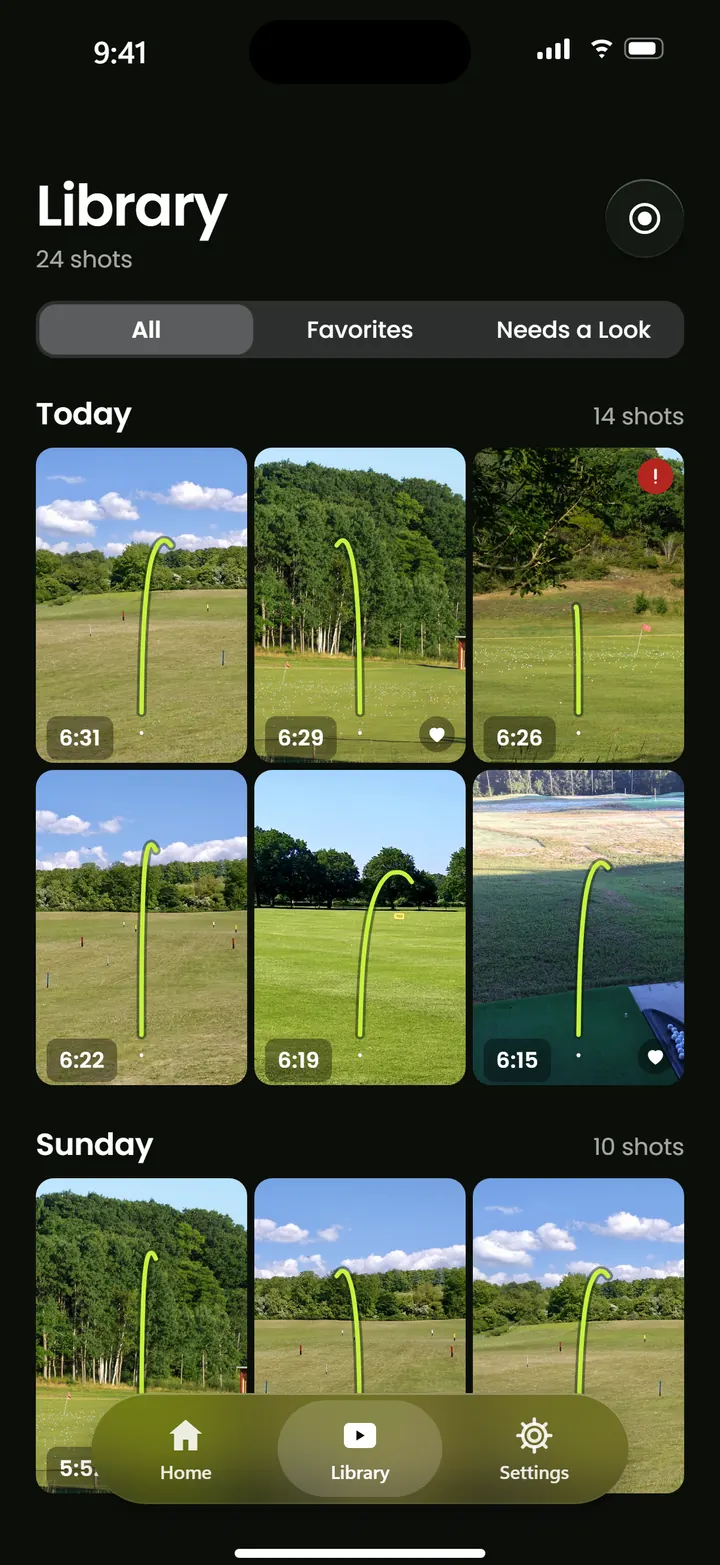
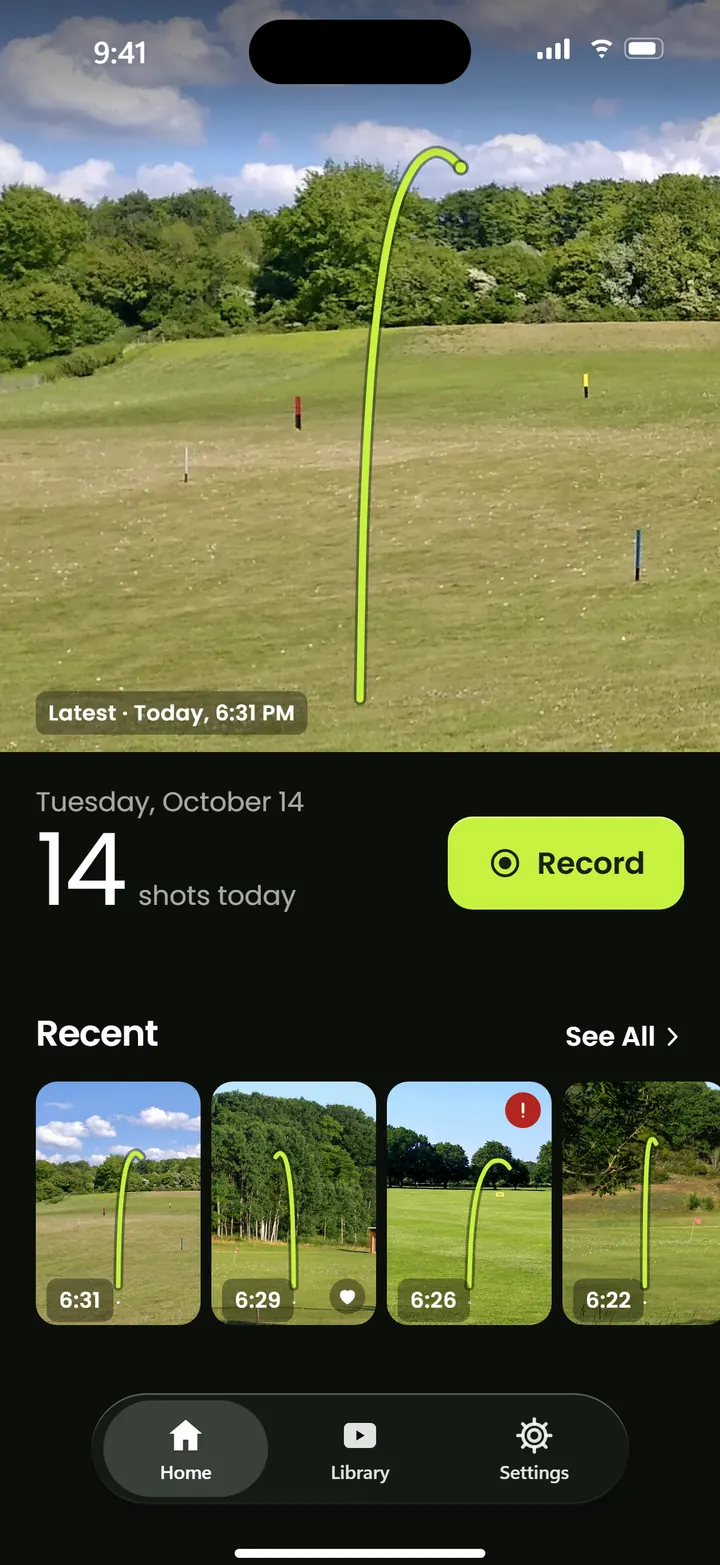
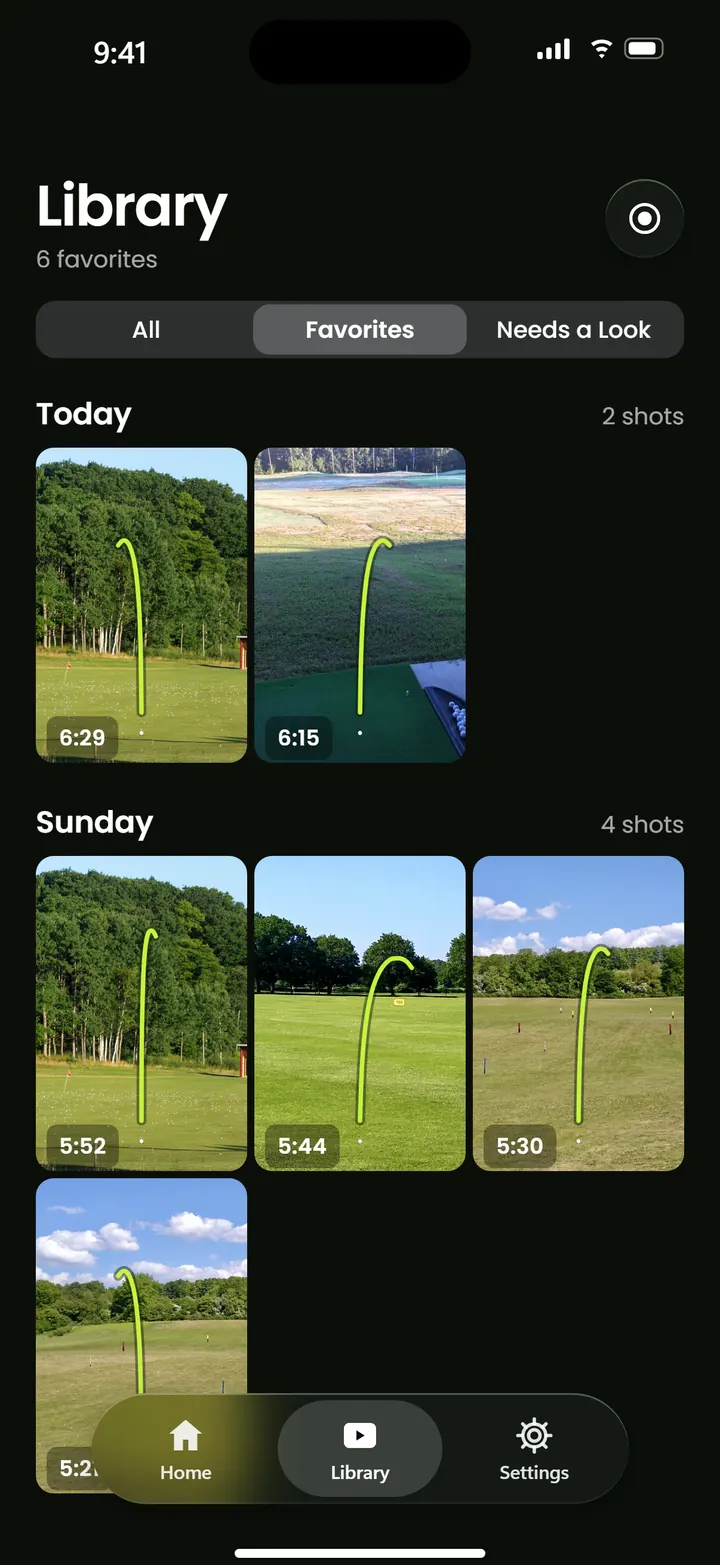
Every clip lands in your library, grouped by day, with its tracer already drawn. Favorite the keepers and delete the rest.
-
Step 5 of 5
Watch it fly. Again.
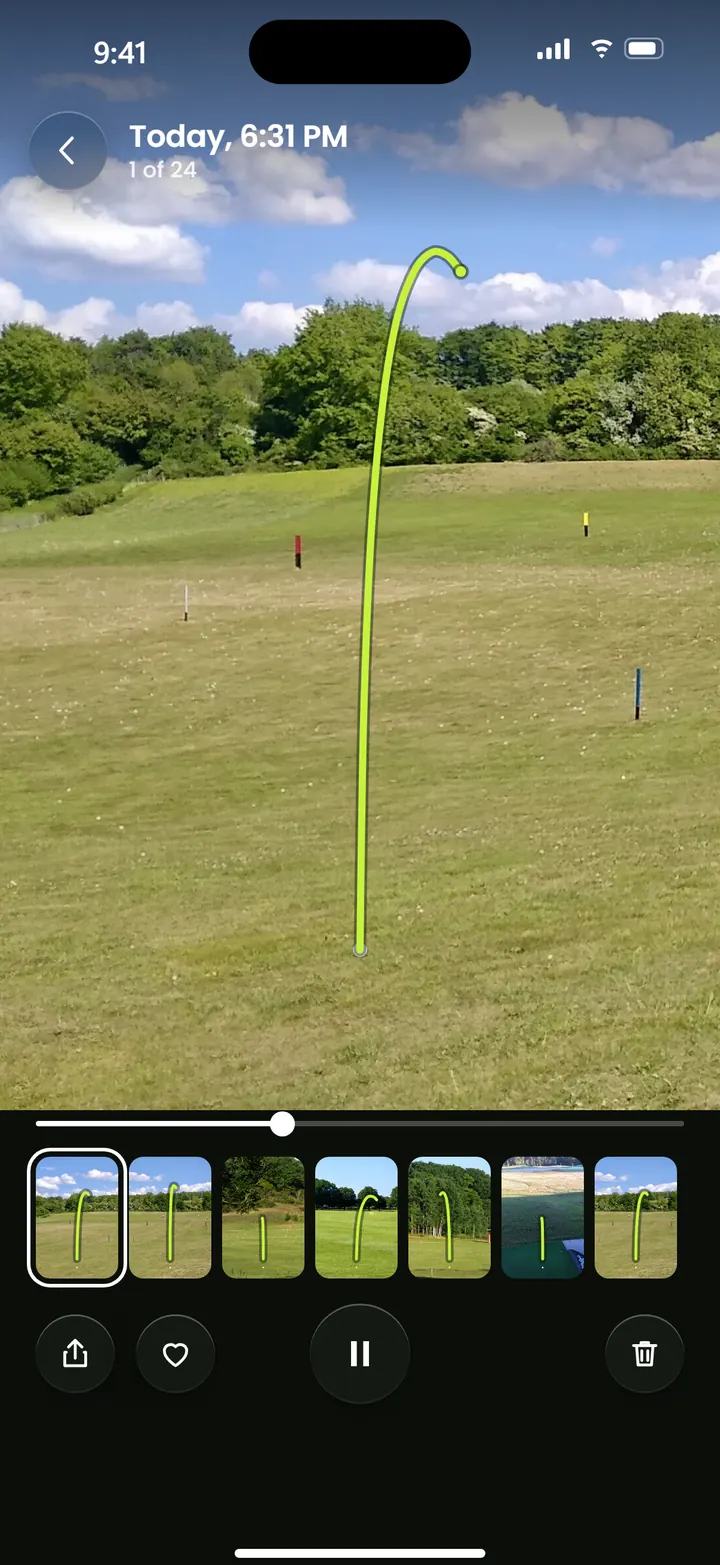
Each shot loops with the line drawn over the ball’s flight. Swipe through the session one ball at a time.
Real swings, traced.
Two swings filmed on a phone behind the golfer. The lime line is the kind of tracer Contrail draws over every shot.
Example clips. The line was drawn for this page to show what the app does.
What it changes about range practice.
You stop guessing which shots were good. Every ball gets its own clip and its own line, and you can watch them back whenever you like.
See every ball’s flight
The line shows how each shot started, peaked and curved. You don’t need a launch monitor to see what the ball did.
Review a whole session
Go back through the bucket one ball at a time, in order, without scrubbing through a long video.
Keep the best ones
Favorite a shot and filter the library down to your favorites. Delete the ones you don’t want.
Private by default
No account, no uploads, no tracking. Your practice stays on your phone.
Just your iPhone
No sensors to clip on and no extra hardware to buy. Something to stand the phone on is all you add.
No signal needed
Recording, finding and tracing all happen on the phone, so a range with no reception is fine.
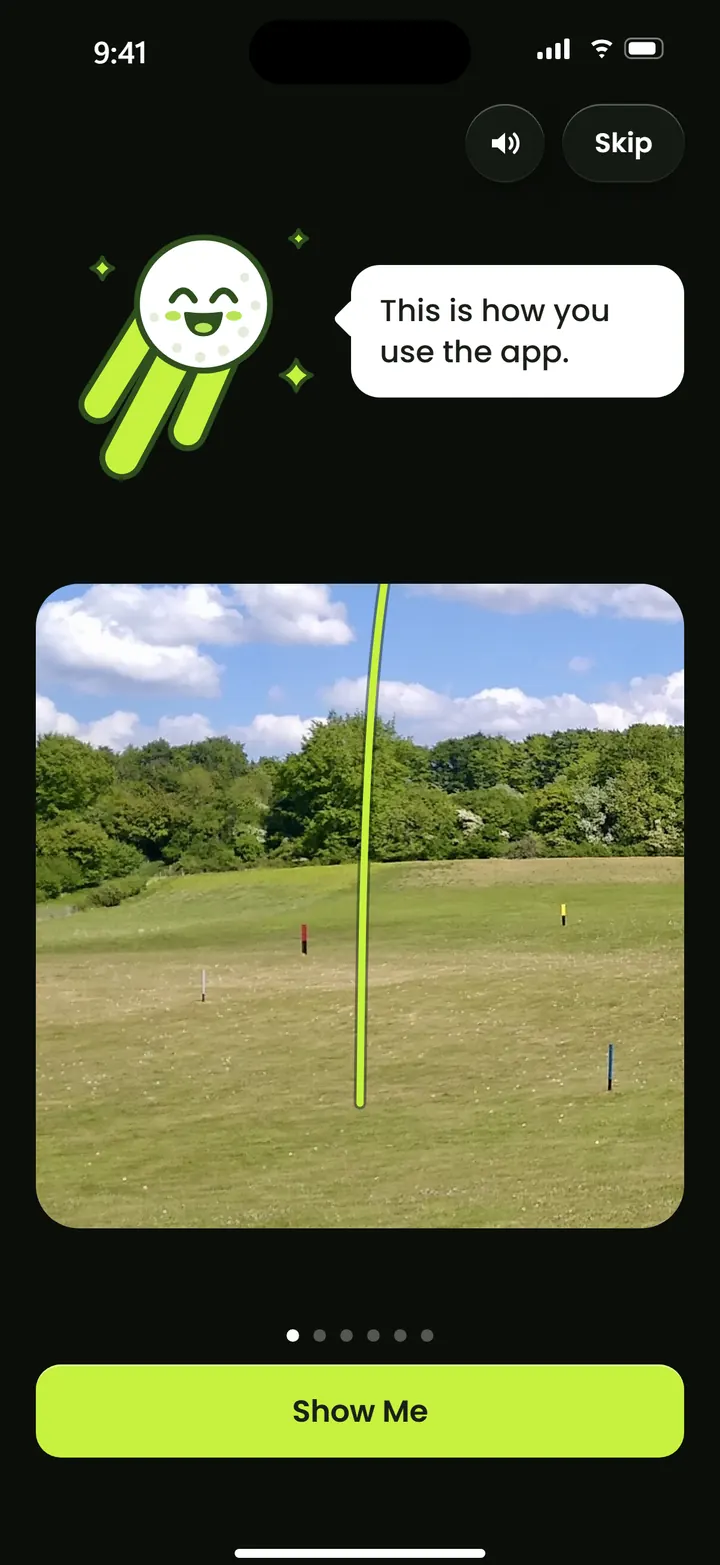
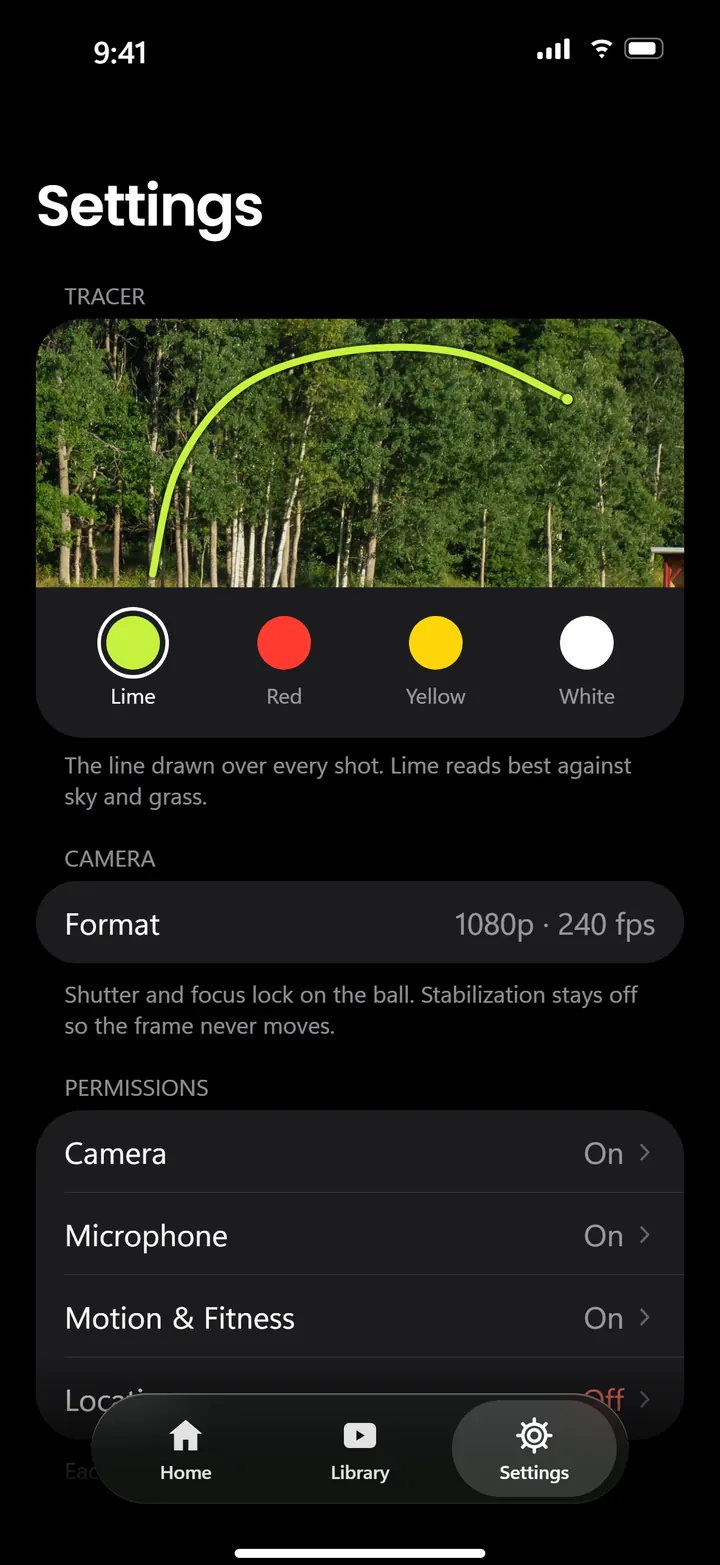
A look inside the app.
The same night screens and lime line you’ll use at the range.

0 network requests
Your swings never leave your iPhone.
Video and sensor data never leave the phone. Contrail doesn’t talk to a server, so it works the same offline.
- No accountOpen the app and record. Nothing to sign up for.
- No uploadsFinding, cutting and tracing all happen on the phone.
- No trackingNo analytics, no ads, nothing sent anywhere.
Meet Comet.
A golf ball with a lime contrail. Comet shows up when the app has something to tell you, like the first time you open it or when a shot needs a second look.
Put your phone behind you, on your target line.About hand height, a few steps back.
Questions.
What do I need?
An iPhone running iOS 26 or later (it works best on iPhone 15 Pro or later) and something to stand it on behind you, like a small tripod or a phone stand.
Is it free?
Contrail is free to download and free for 7 days, starting when you choose. After that it’s a one-time $2.99 unlock. No subscription, nothing renews and nothing is charged automatically.
Does it need an internet connection?
No. Recording, finding and tracing your shots all happen on the iPhone, so it works the same at a range with no signal. Starting the trial or unlocking goes through the App Store, like any purchase.
Can I use videos I’ve already filmed?
Not at the moment. Contrail traces sessions you record in the app.
Who do I ask if something isn’t working?
Email sammy@contrailgolf.app or jayden@contrailgolf.app. You can also check the support page.
Where do my shots go?
Into Contrail’s library on your phone, with every session grouped by day. They stay in the app.

Coming soon to iPhone.
Free to try for 7 days, then a one-time $2.99 unlock. Questions? Email sammy@contrailgolf.app or jayden@contrailgolf.app.
Download the appComing soon to the App Store